



Table of Contents
 Set as a preferred Google source
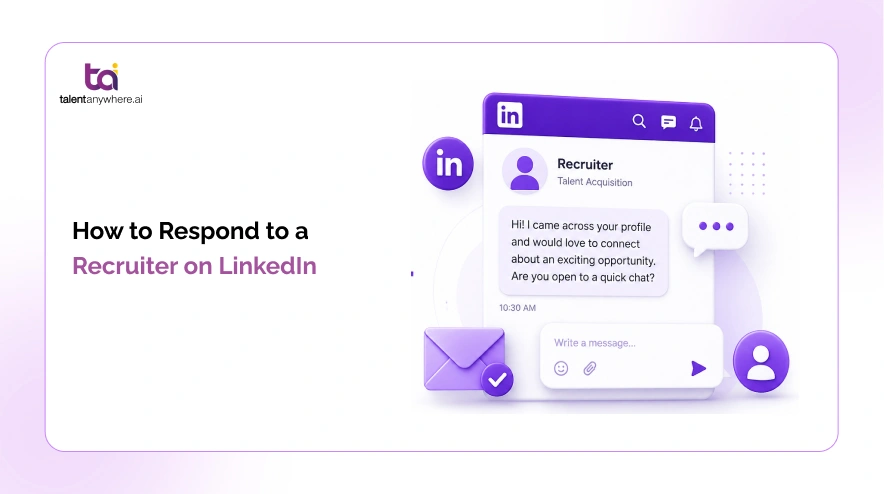
A recruiter just messaged you on LinkedIn. You stare at the notification. You want to reply, but what exactly do you say? Say the wrong thing and you look unprofessional. Say nothing and you miss an opportunity that could have changed your career. Knowing how to respond to a recruiter on LinkedIn is one of those small skills that pays off in a big way, regardless of whether you are actively job hunting or perfectly happy where you are.
In this guide, you will get five ready-to-use response examples that cover every situation: when you are interested, when you are not, when the role is not quite right, when you need more details, and when you are open but not urgently looking. Copy them, personalise the parts in brackets, and send.
Should You Always Respond to a Recruiter on LinkedIn?
Short answer: yes. Even when the role is not a fit.
Recruiters have long memories. A polite, professional decline today keeps the door open for the right opportunity six months from now. A non-reply, on the other hand, leaves a negative impression. Recruiters quietly note who ghosts them, and you might end up skipped the next time something genuinely interesting comes up.
LinkedIn research (via SignalHire 2026 Passive Candidate Report) shows that 87% of employees are open to new opportunities even when they are not actively looking. Responding to a recruiter message, even to politely decline, keeps you in that category.
There is also a practical upside to responding even when you are not looking. Recruiter messages are a free window into the job market. You can learn what skills are in demand, what salary ranges look like right now, and which companies are hiring. That kind of market intelligence is valuable whether you plan to move soon or not.
So the question is never whether to respond. The only question is how.
Not sure your profile is ready for recruiter attention?
Build a standout resume and prep for interviews before you reply.
What to Do Before You Reply
Before you type a single word, take two minutes to do these three things. They will make your response sharper and your first impression stronger.
1. Read the Message Carefully
Is this a specific role or a generic outreach blast? Is the company named or kept anonymous? Does the seniority level match where you are in your career? These details change what you should say and how you should say it.
2. Check Your LinkedIn Profile
Recruiters will look at your profile the moment you reply. Make sure your headline and summary reflect what you actually do and what you are open to. An outdated profile can undermine an otherwise great response.
3. Decide Your Position Before You Write
Are you interested? Not interested? Somewhere in between? Knowing this before you start typing makes your message cleaner, faster to write, and easier for the recruiter to act on. The examples below are built around exactly these situations.
Read More – How to Add LinkedIn to Your Resume
5 Professional Ways to Respond to a Recruiter on LinkedIn
Each example below is realistic, professional, and under 120 words. Personalise the parts in brackets and you are ready to send.
Example 1: When You Are Interested in the Role
When to use: The role sounds relevant, the company seems interesting, and you want to move forward.
An effective response here opens with genuine interest rather than a hollow “thanks for reaching out.” It briefly confirms why you are a fit without writing a full cover letter, and it ends with a clear next step. Recruiters are busy. Make it easy for them to say “let us set up a call.”
Email Template
Example 2: When You Are Not Interested Right Now
When to use: The role is not a fit, the timing is off, or you are happy where you are but want to keep the relationship warm.
This message should be polite and brief. You do not need to over-explain or apologise. A gracious decline takes 30 seconds to send and keeps you on the recruiter’s radar for something better down the road. Ghosting them achieves the opposite.
Email Template
Replied to a recruiter? Now get your resume ready.
talentanywhere.ai helps you build, refine, and match your resume to real job postings.
Example 3: When You Are Interested but the Role Is Not the Right Fit
When to use: You like the company or the recruiter but the specific role does not match your skills or career direction.
This is the nuanced one. You are not saying no to the recruiter. You are redirecting the conversation toward what would actually work for you. A good response here is honest without being dismissive, and it gives the recruiter something useful to work with for future openings.
Email Template
Example 4: When You Need More Information Before Deciding
When to use: The recruiter’s message is vague. No company name, unclear scope, or not enough detail to make a decision.
Rather than committing either way, ask the right questions. This response signals that you are thoughtful about opportunities rather than reactive, and it gives the recruiter clarity on what you need to move forward. Keep it professional and curious, not demanding.
Email Template
Example 5: When You Are Passively Open but Not Actively Looking
When to use: You are employed and not urgently looking, but you are open to the right opportunity if it is compelling enough.
This response sets honest expectations. You are not going to drop everything, but you are willing to listen. The tone is professional and low-pressure, which is exactly right for a passive candidate. It also keeps you in the recruiter’s database for future roles without creating any false urgency on your side.
Email Template
Quick Tips for Every Recruiter Response
Before you send, run through this checklist:
- Reply within 24 to 48 hours. Response time signals professionalism.
- Use the recruiter’s first name. It personalises the message immediately.
- Keep it under 100 words. Recruiters receive dozens of messages daily.
- Personalise at least one line to the specific role or company. Never send a fully generic reply.
- Proofread before hitting send. Typos in a first impression message are hard to recover from.
- Do not send your CV upfront unless they asked. Wait until there is a real conversation.
- If you said you would follow up, follow up.
Final Word
Responding to a recruiter on LinkedIn, whether you are interested, not interested, or somewhere in between, is always the right move. It takes less than two minutes and the long-term professional goodwill it builds is worth far more than that.
To recap, you now have five ready-to-use templates: when you want to move forward, when you want to decline politely, when the role is not quite right, when you need more information, and when you are open but not actively searching. Pick the one that matches your situation, personalise it, and send.
Once you reply, the real work begins. You will need to update your resume, prep for interviews, and track your applications without losing track of anything. Try Now.
talentanywhere.ai helps you do all of that in one place, for free.
Build your resume, practise mock interviews, and search for jobs that actually match your skills.
Read summarized version with


talentanywhere.ai Blog
Explore insights on job readiness, global hiring trends, AI-powered recruitment, and career growth strategies. Our blog brings you practical tips, product highlights, expert advice, and success stories to--empowering job seekers, recruiters, and businesses to connect with the right talent, anywhere.
![How to Write Work Experience in Resume [With Examples & Tips]](https://talentanywhere.ai/wp-content/uploads/2026/06/Hero-How-to-Write-Work-Experience-in-Resume-1-300x168.webp)