

Table of Contents
 Set as a preferred Google source
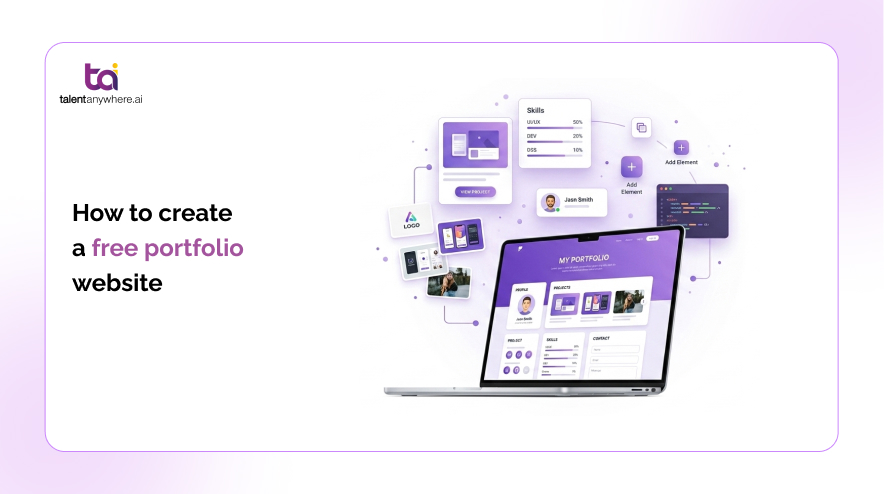
A portfolio website is often the single asset that separates a candidate who gets a callback from one who doesn’t. It gives hiring managers, recruiters, and clients something a resume can’t: proof, in context, that you can do the work. The good news is that building one no longer requires a developer, a designer, or a budget. With the right free tool and about an afternoon of focused work, you can have a live, shareable portfolio site ready to send out with your next application or pitch.
This guide walks through what a portfolio website actually needs to include, whether “free” really means free, a step by step build process, the best free builders to consider, and real examples by use case, so you can go from a blank page to a published link.
What is a portfolio website (and why you need one)
A portfolio website is a personal site that showcases your work, your skills, and enough context about you to help someone else decide whether to hire, interview, or contract you. For a designer, that might be case studies and mockups. For a writer, it’s published clips and samples. For a student, it could be class projects, research, or a capstone presentation.
Job seekers, freelancers, and students all use portfolio sites for slightly different reasons, but the underlying job is the same: turn a list of claims on a resume into visible, verifiable evidence. A resume tells someone you managed a rebrand or wrote fifty articles. A portfolio shows them.
That distinction matters more than it used to. Research from design hiring platform Presentum found that evaluators spend an average of 55 seconds reviewing a resume and portfolio together before deciding whether to move a candidate forward, which makes a clear, well organized portfolio worth far more than a long one. A static PDF resume or a bare LinkedIn profile can’t do what a portfolio does: let someone click into your actual work at their own pace.
Can you really build a portfolio website for free?
Yes, and this isn’t a marketing half truth. Most portfolio focused platforms and general website builders offer a permanent free tier, not just a time limited trial, and that free tier is usually enough to publish a real, working site.
What “free” typically doesn’t include is a custom domain (you’ll get a subdomain like yourname.platform.com instead of yourname.com), unlimited storage for high resolution images or video, or full removal of the platform’s branding. Some builders cap how many pages or projects you can publish on the free plan. None of that stops you from putting together a clean, professional looking portfolio that a recruiter or client can actually use. It just means you’ll hit a ceiling if you want to remove branding, add a custom domain, or scale up later, at which point most platforms offer a low cost upgrade.
The practical takeaway: start free. You can always upgrade a specific platform once your portfolio is doing real work for you. You should not need to pay anything to get a first version online.
Your portfolio is live. Is your resume pulling its weight?
Build a tailored resume in minutes with talentanywhere.ai.
Step by step: how to create a portfolio website for free
Building a portfolio website for free follows the same basic sequence regardless of which tool you choose. These six steps take most people one focused afternoon.
Step 1: define your goal and audience
Before opening any builder, decide who this site is for and what you want them to do after visiting it. A portfolio aimed at hiring managers in a specific industry looks different from one built to attract freelance clients or one meant to accompany a graduate school application. Write down the single action you want a visitor to take, whether that’s downloading your resume, filling out a contact form, or emailing you directly. That goal should shape every decision that follows.
Step 2: choose a free portfolio website builder
Pick a platform that matches your skill level and your content type. If you want a visual, drag and drop experience, a general website builder works well. If you’re a developer, a code based static site might suit you better and cost nothing to host. If you mainly need a single clean page with links to your work elsewhere, a minimalist one page builder may be all you need. The comparison later in this guide breaks down the main free options.
Step 3: pick a template and customize it
Choose a template built for portfolios rather than a generic business template, since the built in layouts for project galleries and case studies will save you time. Swap in your own colors and fonts sparingly. A portfolio’s job is to showcase your work, not your design experimentation, so resist the urge to over customize before you have any content in place.
Step 4: add your best work and case studies
Quality beats quantity here. Five to eight strong, relevant projects outperform twenty scattered ones. For each project, include enough context that someone unfamiliar with the work understands what problem it solved and what your specific role was. Where you can, attach a measurable result: increased conversions, published word count, user growth, or client outcomes. If you’re a student or early career professional without paid client work yet, class projects, personal builds, and volunteer work all count.
Step 5: write an about section and add contact info
Your about section should say who you are, what you do, and what kind of work or role you’re looking for, in a few sentences. Avoid burying your contact information at the bottom of a long page. A visible email address or contact form, plus links to LinkedIn and any other professional profiles, removes friction for someone ready to reach out.
Step 6: publish and share your portfolio
Once your site is live, add the link to your resume, your email signature, your LinkedIn profile, and any job applications or client pitches you send. A portfolio that only you have seen isn’t doing its job yet.
Best free portfolio website builders to try
The right builder depends on how much design control you want versus how quickly you need something live. Here’s a vendor neutral look at five widely used options and where each one’s free tier tends to fall short.
| Builder | Best for | Free tier limits |
|---|---|---|
| Wix | Anyone who wants a full multi-page site with maximum template variety. | Wix branding and ads, Wix subdomain, limited storage. |
| Canva | Designers and students who already use Canva for visuals. | Basic publishing only, no analytics, limited layout control. |
| Adobe Portfolio | Creatives already paying for a Creative Cloud subscription. | Requires an active Creative Cloud plan; not free on its own. |
| Behance | Designers, illustrators, and photographers who want built-in audience reach. | Not a customizable personal site, public only, no private drafts. |
| GitHub Pages | Developers comfortable writing HTML, CSS, or using a static site generator. | No visual editor, requires basic coding and Git familiarity. |
If you’re not sure where to start, a general drag and drop builder is the fastest path for non technical users, while a static site host is the better long term choice if you can code and want full ownership of your site’s files.
A strong portfolio gets you noticed. A tailored resume gets you the interview.
Pair your new portfolio with a resume built for the role you actually want.
Free portfolio website examples by use case
What belongs in a portfolio changes depending on who you are and what you’re trying to land. Here’s how the same six step process plays out differently across three common situations.
For students
Student portfolios should lean on class projects, research papers, design coursework, or a capstone project, organized clearly by subject or skill area. Include a short description of the assignment’s goal alongside your work, since a visitor won’t have the syllabus for context. A digital portfolio for an art student, for example, might group work by medium and add a brief artist statement rather than lengthy case studies.
For freelancers and creatives
Freelance portfolios should be organized around the type of work a prospective client is hiring for, not a chronological history. Group projects by service (brand identity, web design, copywriting) rather than by date, and lead with client outcomes wherever you have them. The payoff for doing this well is measurable: Upwork reports that freelancers who publish a portfolio on their profile get hired nine times more often than those who don’t, and Forbes has reported that roughly 74% of clients review a freelancer’s portfolio before making a hiring decision. Testimonials matter here more than almost anywhere else in a portfolio, since a prospective client has no other way to verify you’ll deliver.
For job seekers
A job seeker’s portfolio should map directly to the roles being targeted. If you’re applying to multiple types of positions, consider a flexible structure that lets you highlight different projects depending on which job posting you’re responding to. Pair the portfolio link with a tailored resume built for each specific role rather than one generic version sent everywhere.
Portfolio website tips that actually get you noticed
A published portfolio isn’t automatically an effective one. A few practical adjustments make the difference between a site that gets skimmed and closed and one that gets someone to reach out.
Keep navigation simple enough that a visitor can find your best work in two clicks or less. Lead with your strongest project first rather than saving it for later, since most visitors won’t scroll through everything. Add measurable results wherever you have them, because specific numbers are more persuasive than adjectives. Confirm your site looks and loads well on mobile, since a large share of recruiters and clients will open your link from a phone. And keep load speed in mind: a portfolio full of unoptimized, full resolution images will frustrate visitors before they see a single project.
Conclusion
A free portfolio website is genuinely achievable in an afternoon, and for job seekers, freelancers, and students alike, it’s one of the highest leverage things you can add to a job search or client pitch. Once your portfolio is live, pair it with a resume built for the specific role you’re targeting. Build a tailored resume with talentanywhere.ai’s resume tool to make sure the document sitting alongside your new portfolio link is working just as hard as the site itself.
Portfolio: done. Next step: your resume.
Match your resume to any job posting in minutes with TalentAnywhere.ai.
FAQs
Is it better to use a free portfolio site or build my own?
How long does it take to make a portfolio website?
Do free portfolio websites show ads or the builder’s branding?
Can I use a custom domain with a free portfolio website?
talentanywhere.ai Blog
Build professional resumes with AI, improve your ATS score, and apply with confidence. talentanywhere.ai empowers job seekers with smarter resume creation and career tools for every stage.