

Table of Contents
 Set as a preferred Google source
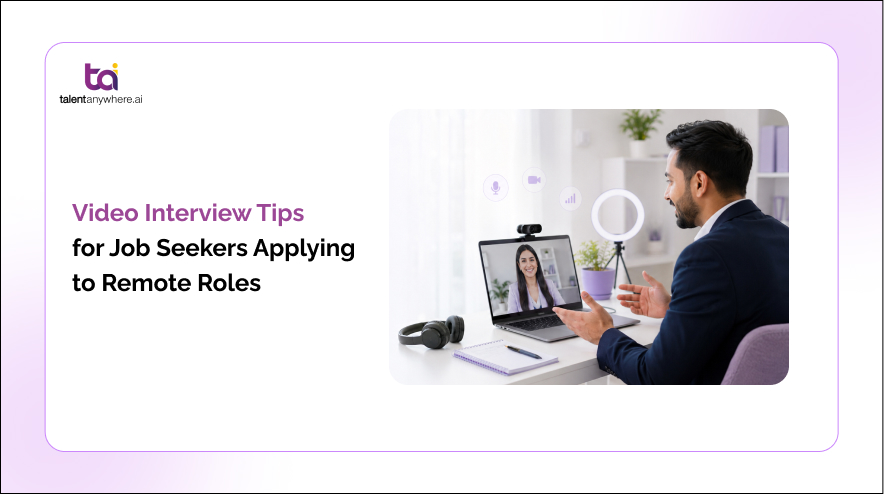
Remote hiring runs almost entirely on video, so before you say a single word in an interview, your setup and screen presence have already started shaping the interviewer’s first impression. These video interview tips walk you through every stage of the process, from the days before your call to the follow up message you send after, so you can walk in prepared instead of hoping for the best.
Why video interviews matter more for remote roles
For most remote jobs, the video call has replaced the in person round entirely. There is often no office visit, no handshake, and no hallway small talk before the real conversation starts. That means the interviewer is forming a judgment about you almost entirely through a screen, which makes your remote interview tips preparation matter more, not less. In a survey of 2,019 U.S. adults, 70 percent said they prefer in-person job interviews, compared with 17 percent who favor video calls and 9 percent who prefer telephone calls.
A video interview also does double duty. Beyond assessing your answers, it signals whether you can work well in the exact format the job requires. A candidate who seems distracted, poorly lit, or unfamiliar with basic video etiquette raises a quiet question in the interviewer’s mind: will this person struggle to collaborate over a screen every day. Treating the interview itself as a small preview of your remote work habits is one of the most useful mindset shifts you can make.
Nail your next video interview.
Practice with AI-powered mock interviews before it counts.
How to prepare before a video interview
Good video interviews are won in the hours and days before the call, not during it. Here is how to prepare for a video interview step by step so nothing is left to chance.
Research the company and the remote role
Go beyond the job description. Understand the product, the team structure, and specifically how this company operates as a remote or hybrid organization. If they mention asynchronous communication, specific tools, or time zone overlap requirements, prepare a point or two that shows you have thought about how you would fit into that structure.
Test your tech and internet connection
Camera, microphone, and internet stability are not details, they are the foundation of the entire interview. Run a test call the day before, not five minutes before. Keep a phone hotspot ready as backup in case your home connection drops.
Set up your video platform in advance
Whether the interview is on Zoom, Microsoft Teams, or Google Meet, install the app ahead of time and open it once to clear any update prompts. Check that your display name shows your full, correct name rather than an old nickname or a shared family account label. Join the call a few minutes early so a late login is never the reason you start on the back foot.
Choose a quiet, tidy, professional background
A neutral wall, a clean bookshelf, or a simple backdrop works far better than a busy room. Silence phone notifications, let housemates or family know you are not to be disturbed, and close any tabs or apps that might pop up mid call.
Get your lighting and camera angle right
Face a window or a light source rather than sitting with it behind you. Position your camera at eye level, ideally using a stack of books or a laptop stand, so you are framed from the chest up rather than looking down into the lens.
Prepare your answers and your own questions
Rehearse your response to common questions out loud, not just in your head. Also prepare two or three thoughtful questions about how the team communicates remotely, how performance is measured, and what a typical week looks like. These questions show you are thinking seriously about remote work, not just about getting the offer.
Also Read How to create a free portfolio website
How to make a strong impression during the interview
Preparation gets you to the call ready. These habits during the interview are what actually land the impression.
Make eye contact by looking at the camera
Look into the lens rather than at the interviewer’s face on your screen. It feels unnatural at first, but it is the closest equivalent to real eye contact and it reads as confidence and attentiveness on the other end.
Mind your posture and body language
Sit upright, keep your shoulders relaxed, and use natural hand gestures within the camera frame. Slouching or staying too still can come across as disengaged even if you are simply concentrating.
Speak clearly and manage your pace
Video calls carry a slight audio delay, so pause for a beat before you start answering and avoid jumping in over the interviewer. Speaking a touch slower than feels natural usually reads as measured and clear on the receiving end.
Handle pauses and connection issues gracefully
If your connection glitches or freezes, acknowledge it briefly, apologize once, and move on. Have your phone nearby as a backup so you can quickly switch to a call if the video drops entirely.
Show you can thrive working remotely
Every answer is a small chance to demonstrate self management, clear written and verbal communication, and comfort with digital tools. Mentioning how you structure your day, track tasks, or stay visible to a remote team can quietly reinforce that you are ready for the role.
Common video interview questions and how to answer them
Alongside standard interview questions, expect several that are specific to remote work. Common video interview questions include:
• Tell me about a time you solved a problem without direct supervision.
• How do you stay organized and manage your time while working remotely.
• Describe how you communicate with a team when you are in different time zones.
• What tools do you use to stay productive and connected while working from home.
• How do you handle feeling isolated or disconnected from a remote team.
Structure your answers using the STAR method, situation, task, action, result, so each response stays focused and easy for the interviewer to follow, even over a video connection where rambling answers are harder to sit through.
Also Read Telephonic interview questions and how to answer them
Tips for one way and AI video interviews
Many remote employers now use recorded one way or AI driven interviews for the first round, especially when hiring at scale across locations. Unlike a live conversation, there is no interviewer to read your energy or nod along, so your tone and clarity have to carry the entire impression on their own. Gartner recommends that recruiting leaders clarify how AI is used in the hiring process and allow candidates to opt out of AI interviews, as part of its top talent acquisition trends for 2026.
Expect timed responses, a limited number of retakes, and a countdown that can feel more pressure filled than a live call. Treat the camera as a person, keep your answers structured, and do not over rely on a re record if one is offered, since your first attempt is often closer to how you would actually perform live. Some employers run these first round screenings on AI interview platforms such as talentanywhere.ai, and the same preparation covered in this guide, testing your setup, rehearsing answers, and speaking clearly, applies just as much here as it does to a live call.
One shot. No do-overs.
Prepare for one way and AI video interviews the smart way.
What to do after the video interview
Send a short, specific thank you note within a day of the interview, referencing something particular from the conversation rather than a generic line. Take a few minutes to reflect honestly on which answers felt strong and which you would tighten up next time. If you have not heard back within the timeline the interviewer gave you, a polite one line follow up is appropriate and shows continued interest without seeming impatient.
Quick video interview checklist
• Test your camera, microphone, and internet connection the day before
• Install and open your video platform in advance
• Set a quiet, tidy, well lit background
• Position your camera at eye level
• Silence notifications and clear distractions
• Look at the camera lens, not the screen
• Sit upright and keep natural body language
• Prepare answers using the STAR method
• Have a backup plan for connection issues
• Send a thank you note within a day
Camera on. Confidence up.
Sharpen your answers before your next remote interview.
Conclusion
A strong video interview is rarely about natural talent on camera, it comes down to preparation. Test your setup, get your environment right, rehearse your answers, and carry that same steady presence through to your follow up message. Every stage in this guide, from the days before the call to the note you send after, is designed to help you walk into your next remote interview feeling ready rather than rattled. Whether your first round is a live conversation or a recorded screening on a platform like talentanywhere.ai, the same fundamentals of preparation and clarity carry you through. Sign Up Today!
FAQs
How do I prepare for a remote video interview ?
What should I wear for a video interview ?
How do I make eye contact in a video interview?
What is a one way or asynchronous video interview?
How do I handle technical issues during a video interview?
talentanywhere.ai Blog
Build professional resumes with AI, improve your ATS score, and apply with confidence. talentanywhere.ai empowers job seekers with smarter resume creation and career tools for every stage.