



Table of Contents
 Set as a preferred Google source
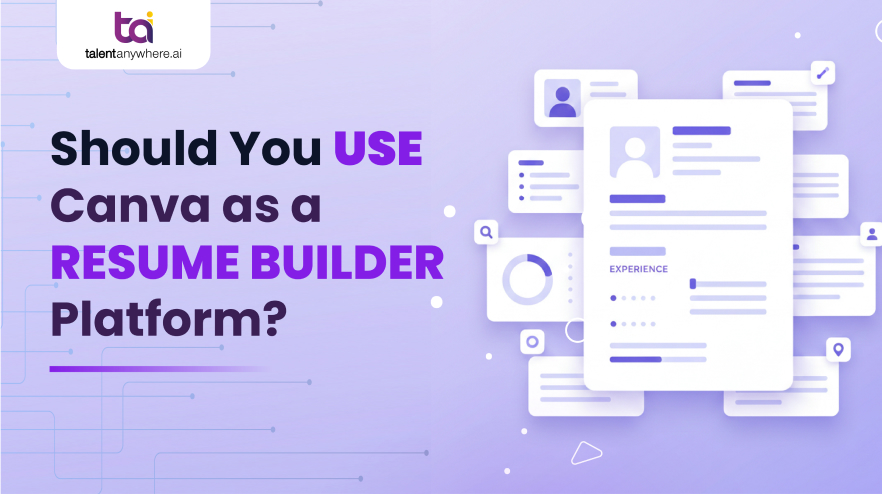
Over the last decade, Canva has gained popularity among people as a tool that can create resumes, especially among students, freshers, and designers. Now you might ask, why has Canva gained popularity? Well, its visually striking templates and drag-and-drop interface make resume creation fun and simple. However, in 2026, resumes are not judged the way they used to.
In today’s day and age, your resume will be scanned, filtered, and parsed by automated systems before reaching recruiters’ eyes. Now the question arises, “Can you use Canva as a resume builder in 2026?”
Today we will help you understand why Canva is popular, how resume screening has changed in recent years, and how platforms like talentanywhere.ai are much more reliable than Canva when it comes to online resume builders.
How Resumes Are Screened in 2026 (What Canva Users Miss)
Studies have shown that over 75% of resumes get rejected by ATS due to missing keywords and messy formatting. Many job seekers still think that the first one to read their resume is the recruiter. However, screening process has changed entirely, and it looks like this:
Parsing vs Visual Scanning
ATS software does not scan your resume as a typical human recruiter. It parses resume text, extracts matching keywords from job description, identifying relevant skills and work experience. Based on this, it gives your resume a score.
Resumes that are design-heavy can confuse ATS and may not scan important information. Canva templates consist of decorative layouts, text boxes, icons, graphics, etc., that can confuse ATS parsers very easily.
Why Formatting Matters More Than Aesthetics
The first round of resume screening is about machine readability and not about how visually appealing it is. Recruiter might never see your resume if it is not parsed correctly. This is the reason why it is advisable to focus more on formatting than on design. Such as a well-optimized one pager resume over complex visual elements that can interfere with automated screening.
Enterprise vs Startup Resume Screening
When it comes to the resume screening process, there is a difference between a large enterprise and a startup. Large organizations rely heavily on ATS software to filter out the most suitable resume for the job. Whereas a small enterprise may review your resume manually. However, steadily the tide of resume screening process in startups is turning towards ATS automation as well.
In both cases, automation or manual review, ATS-friendly resume will always have an upper hand over design-heavy resume
What Is Canva Resume Builder (And What It’s Designed For)
Main strength of Canva is its design, visual storytelling ability, and branding.
What Canva Does Well
- Have templates that are visually appealing
- Can easily customize colors, fonts, and layouts
- Consists of drag-and-drop resume creation
What Canva Was Never Built For
Canva was not created for the hiring process as it doesn’t optimize for:
- ATS parsing accuracy, keyword relevance, skill matching, and recruiter search behavior.
What Canva Is Actually Optimized For
Canva is best suited for:
- Portfolios | Creative presentations | Personal branding assets
Canva is the best option when you need to create something where visual impact matters more.
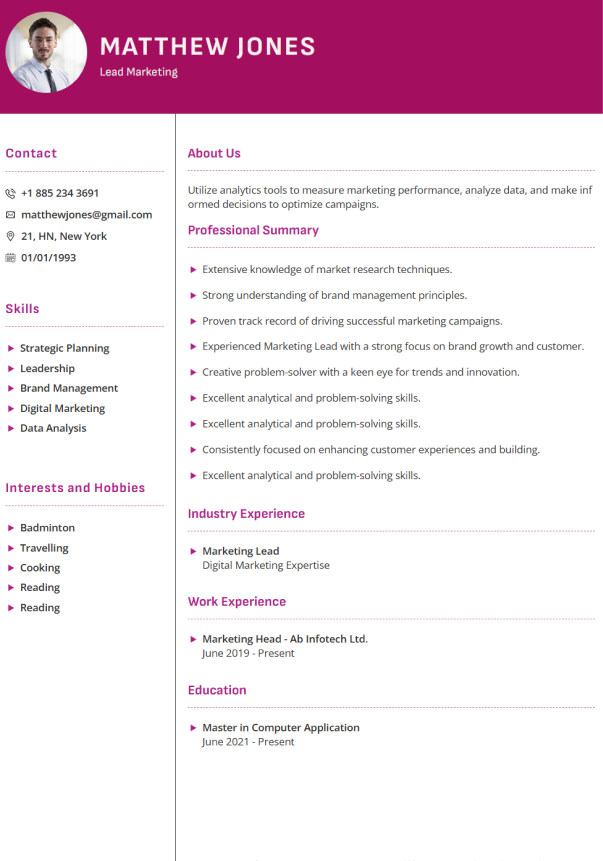
Canva Resume template:
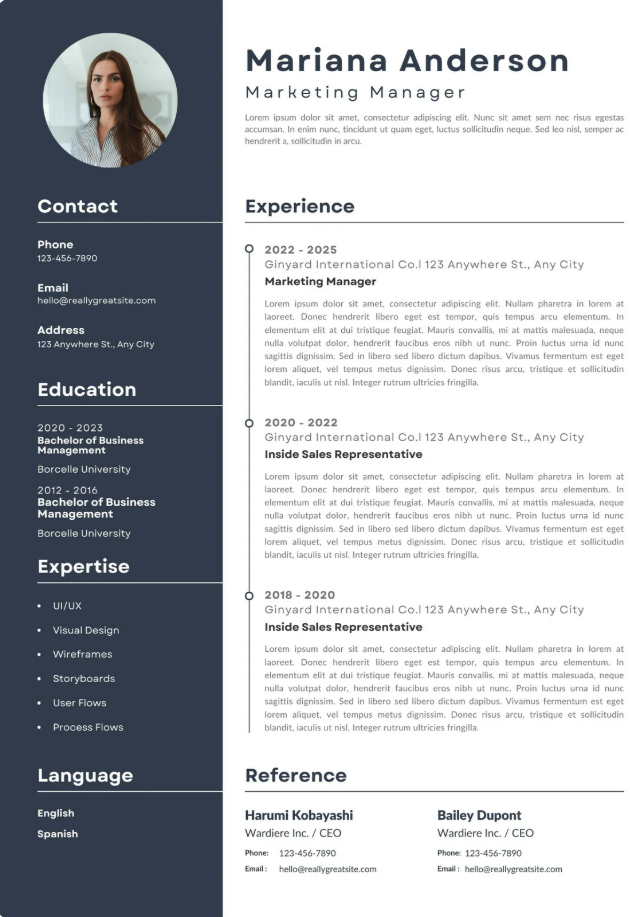
Resume design presents a clean, well-structured layout that emphasizes clarity and readability in their expertise. The clear section hierarchy makes it easy for recruiters to quickly scan key details of skill set, while consistent typography keeps the overall appearance of professionals.
However, one potential drawback is the heavy reliance on job description paragraph formatting. While visually appealing, this structure may reduce compatibility with applicant tracking systems (ATS). As a result, critical information like skills or project information could be misread or overlooked during automated screening.
Another limitation is the inclusion of a dedicated references section, which occupies valuable space that could be better used to showcase measurable achievements or role specific soft skills. Since most employer’s request references separately, removing this section would allow candidates to focus more on content that directly strengthens their application.
Read More : How to Make a Perfect Resume that Gives a Job-Winning Success
Canva Resume template vs talantanywhere.ai resume template
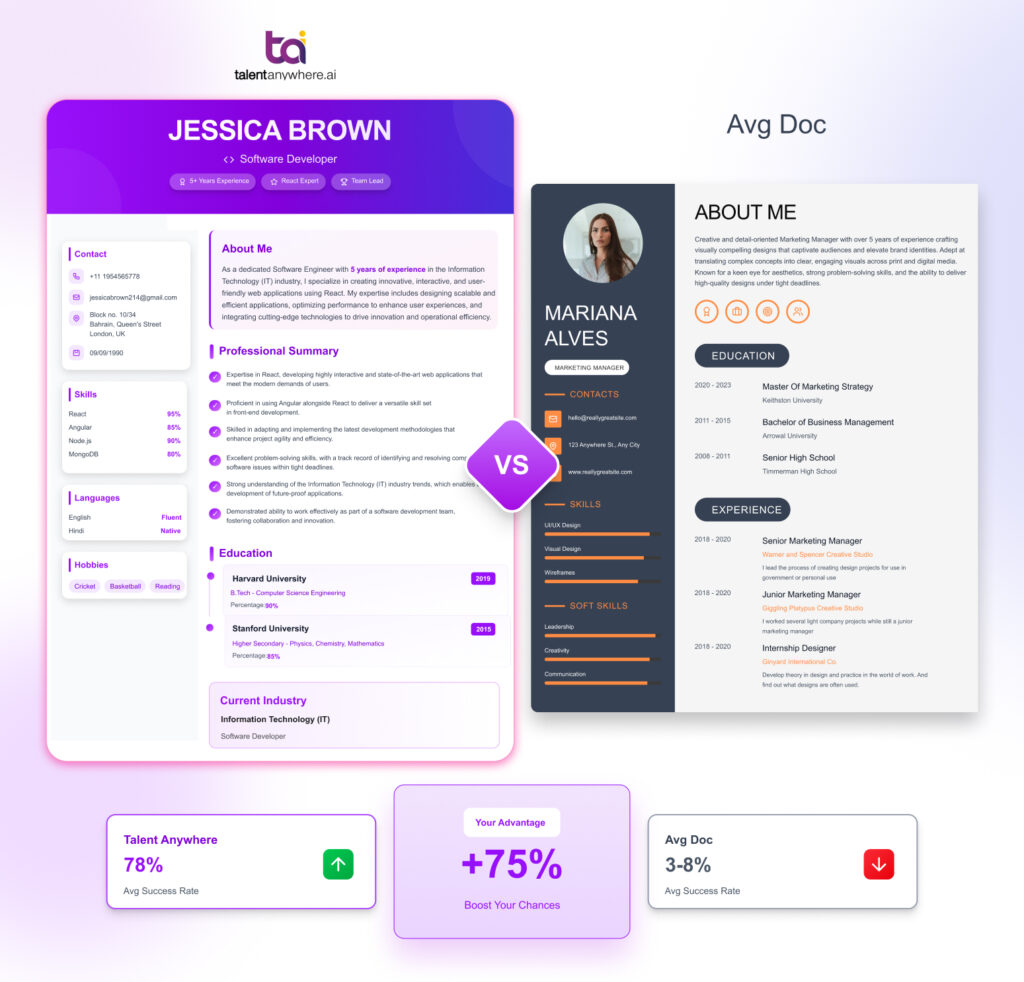
Where Canva leans toward design aesthetics, talentanywhere.ai centers on hiring effectiveness by optimizing resumes for ATS compatibility and recruiter-friendly, content-focused layout.
talentAnywhere.ai resume templates are optimized for ATS compatibility, using clean, text-based layouts that support accurate parsing and quick human review.
Canva Resume vs TalentAnywhere.ai Resume Builder
| Aspects | Canva Resume Builder | talentanywhere.ai Resume Builder |
| Core Focus | Design-first | Hiring-first |
| ATS optimization | Limited | Built for ATS |
| Templates | Static, visual | AI-optimized structure |
| Keyword intelligence | Manual guessing | AI-driven keyword matching |
| Skill mapping | Icons & visuals | Role-based skill alignment |
| Recruiter readability | Inconsistent | Optimized hierarchy |
| Resume performance | Looks good | Performs in screening |
With the above-mentioned comparison, you can see that Canva makes your resume look good, whereas talentanywhere.ai makes sure your resume gets passed through ATS software and eventually gets shortlisted.
Why Visually Attractive Resumes Still Get Rejected
One thing you should understand is that a resume is not a design artifact; it’s a document that is searchable and scorable. What matters is how much resume content, skills, and work experience match job requirements.
Recruiters Don’t Browse, They Filter
Recruiters search for resumes based on skills, relevant experience, job titles, and keywords matching the job description. If the important information is hidden behind unconventional layouts and graphics, your resume might never reach the recruiter’s eyes.
Visibility vs Readability
A resume that is designed heavily might catch the eye of the recruiter, but it will remain invisible to ATS software. And as mentioned earlier, the first step in the resume screening process goes through ATS software. This is the reason why an ATS-friendly resume builder is highly advisable, as it offers structure, clarity, and relevance.
Content Hierarchy vs Visual Hierarchy
A platform like Canva is designed to heavily prioritize visual hierarchy, whereas a platform like talentanywhere.ai is made for hiring systems, as it prioritizes content hierarchy. An ATS-friendly resume consists of
- Structured formatting
- Clear section headings
- Keywords based on job description
This is the reason why the resume created on Canva fails to get shortlisted during automated screening.
Conclusion
In today’s hiring ecosystem, resumes are purely judged based on how they perform inside automation software and not how they look. Canva has indeed gained popularity to make a resume visually appealing, but it lacks when it comes to meeting the technical requirements of modern ATS-driven hiring.
This is where platforms like talentanywhere.ai become essential, upgrade your resumes that are not just visually attractive but also meet the technical demands of ATS automation. Canva can still work best when it comes to branding, but when it comes to free online resume builder platform, talentanywhere.ai is the most reliable and smart choice.
Free for Candidates — Try TalentAnywhere Today🔥
FAQs
Is talentanywhere.ai Better Than Canva as a resume builder platform?
What Is the Best Canva Alternative for ATS Resumes?
Can I Use Canva and talentanywhere.ai Together?
Do Online Resume Builders Improve Interview Chances?
Read summarized version with


talentanywhere.ai Blog
Explore insights on job readiness, global hiring trends, AI-powered recruitment, and career growth strategies. Our blog brings you practical tips, product highlights, expert advice, and success stories to--empowering job seekers, recruiters, and businesses to connect with the right talent, anywhere.